
Nova Launcher
Screenshots
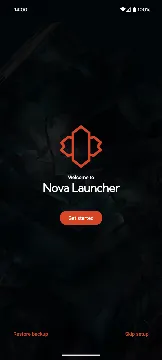
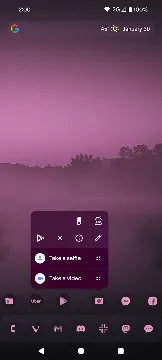
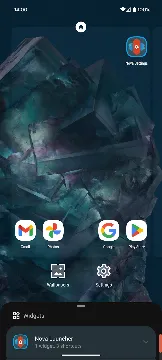
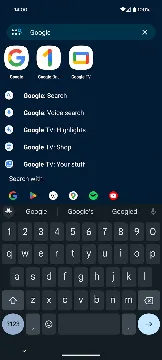
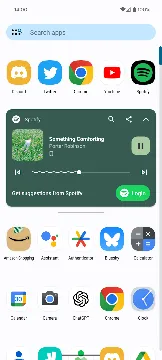
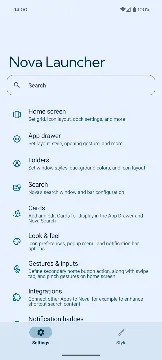
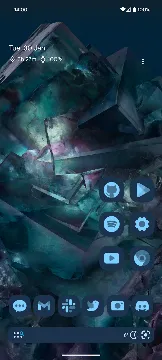
Nova Launcher is a highly customizable home screen replacement for mobile device users worldwide. This powerful utility replaces your stock user interface to offer total control over your mobile desktop. Beginners can change their theme styles with a few taps. Meanwhile, advanced users can modify complex grid layouts and deep system behaviors.
You can overhaul your visual workspace with this software. You can alter icon designs, folder layouts, and scrolling animations effortlessly. It offers an excellent balance between speed and visual customization. This detailed guide explores how the utility helps you build a unique phone layout.
Personalize Your Desktop Design with Nova Launcher
The software features an incredible array of visual adjustment tools. You can find hundreds of layout settings inside the configuration menu. These choices give you complete command over your phone display. Users can adjust several visual components immediately.
- Custom desktop grid dimensions.
- Subgrid positioning for precise icon placement.
- Adjustable padding for screen edges.
- Infinite scrolling options for main pages.
Every change updates instantly because the platform uses a highly optimized processing engine. Therefore, your screen navigation feels incredibly fluid and fast. You do not have to accept the boring default setup from your manufacturer. Instead, you can design a screen that reflects your personality.
Transform Your Icon Style Using Nova Launcher
Smartphone users often get tired of standard system icons. This platform offers complete compatibility with thousands of custom icon themes available online. You can modify your graphic shapes to create a uniform appearance.
- Apply custom icon packs instantly.
- Resize shortcuts to fit your screen.
- Change font styles and label colors.
- Hide icon text for a cleaner look.
- Create custom adaptive icon shapes.
You can combine these design features with specific layout settings. For example, you can increase icon sizes on your main dock while keeping them small in the drawer. Then, you can adjust the label shadows to improve text readability. This approach helps you build a clean workspace.
Master Deep Drawer Customization with Nova Launcher
The app drawer holds all your installed tools, but standard setups lack structure. This utility provides advanced drawer management systems. You can organize your massive collection of software into clear categories.
- Create custom drawer tabs.
- Organize shortcuts into separate folders.
- Apply vertical or horizontal scrolling paths.
- Hide unused software from public view.
- Add a dedicated search bar at the top.
Once you configure your drawer preferences, you can find any program within milliseconds. The engine responds to your scrolling inputs without any lag. This means you can browse through huge software lists smoothly. Consequently, you can maintain an organized workspace.
Speed Up Daily Navigation with Custom Gestures
Standard interfaces require multiple taps to open basic features. However, smart motion controls offer a much faster navigation path. This utility supports a wide variety of touch shortcuts on your home screen. You can link specific tasks to simple finger movements.
- Swipe up to reveal the complete app drawer.
- Double tap to lock your screen instantly.
- Pinch inward to display your desktop overview.
- Two-finger swipe down to open notification panels.
You can also assign secondary swipe actions to individual desktop icons. For instance, tapping an icon opens your messaging program, but swiping up on it calls your favorite contact. This functionality makes using your smartphone feel intuitive and satisfying.
Optimize Device Performance and Memory Usage
Many custom launchers slow down your mobile device and consume excessive battery life. Fortunately, this platform focuses heavily on efficiency and raw speed. The developers keep the background code lightweight.
The system uses very little random-access memory during normal operations. This fact ensures that your background processes run without interruptions. You can use complex scrolling animations without dropping frames. Even older phone models experience a significant speed boost after switching to this software. This balance of speed and customization ensures a premium user experience.
Backup and Restore Your Custom Layouts Safely
Setting up a perfect home screen requires a lot of time and effort. Therefore, losing your settings during a phone upgrade can feel deeply frustrating. This software includes a reliable backup and restore system to protect your hard work.
You can export your complete layout configuration to your local storage. Alternatively, you can save the file to your preferred cloud storage platform. When you buy a new phone, you simply import the file. The utility reconstructs your entire desktop structure, including folders and widget placements, in a single click. This feature gives you peace of mind whenever you modify your device.
Conclusion
Nova Launcher provides an unmatched environment for customizing your mobile interface. It offers deep icon pack compatibility and precise grid controls. The system supports advanced gestures for faster daily operation. It also features a lightweight engine that maximizes battery efficiency. Both casual users and tech enthusiasts can utilize these options easily. You can design minimalist layouts or manage massive icon collections anytime. Download the App today to completely transform your smartphone workspace.







